Introduction to Verality
Verality is the all-in-one operating system for creator outreach. We replace your fragmented stack of tools (search, email finding, sequencing, and CRM) with a single, unified platform designed to help you close more deals in less time.
Find Creators
Search millions of profiles with AI filters.
Automate Outreach
Send personalized drip sequences.
Connecting Gmail
To allow Verality to send emails on your behalf, you need to connect your Gmail account securely via Google OAuth. Because Verality interacts with sensitive scopes (sending emails, reading replies), Google requires a verified connection process.
Step-by-Step Instructions
- Navigate to Settings > Integrations.
- Click the Connect Gmail button.
- Select your outreach email account.
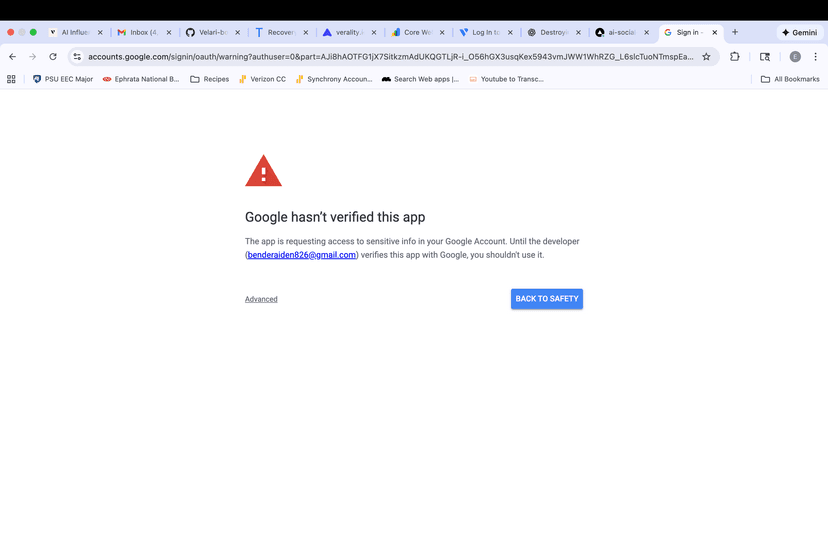
- Crucial Step: When you see the warning screen:
- Click "Advanced"
- Click "Go to verality.io (unsafe)" at the bottom
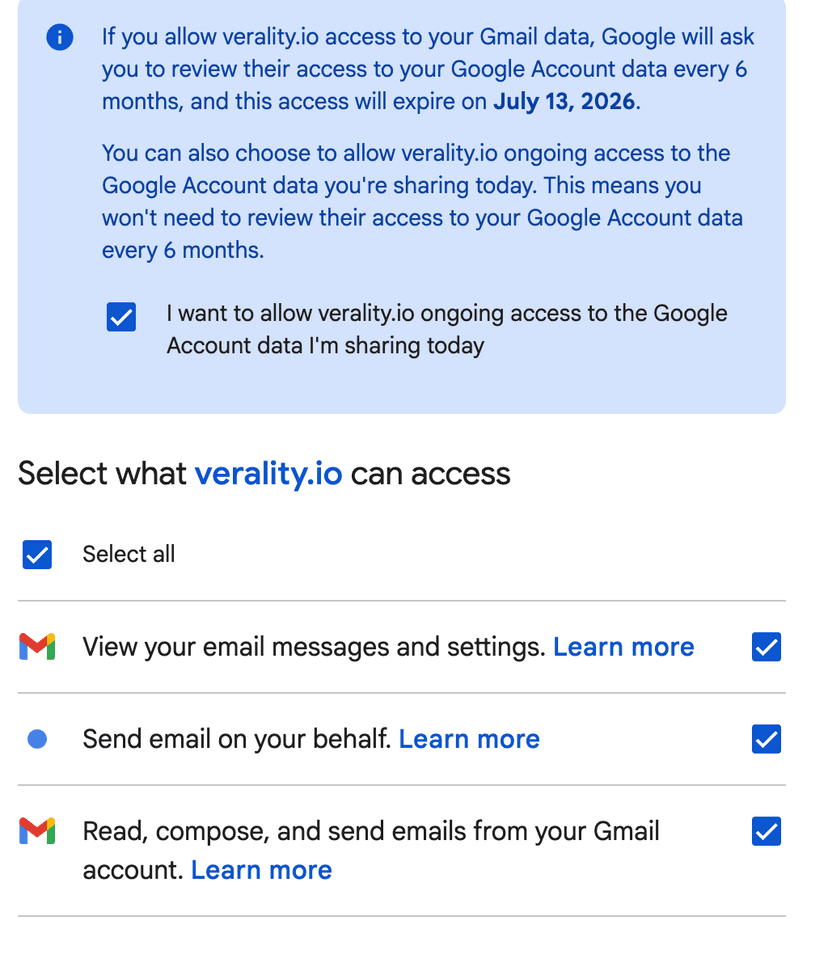
- Permissions: Check ALL boxes (Send, Read, Manage). If you miss one, the connection will fail.
1. Click Advanced
2. Select Permissions
Discovery Engine
Stop wasting hours scrolling TikTok. Our Discovery Engine lets you filter 200M+ creators to find your perfect match in seconds.
Search Filters
- Niche & Keywords
- Follower Count (Min/Max)
- Engagement Rate
- Location / Country
Understanding "Credits"
Searching is free. You only use a "Credit" when you choose to Reveal Email or Add to Campaign. This ensures you only pay for data you actually use.
Campaigns & Sequencing
Automate your follow-ups without sounding like a robot. Verality supports multi-step email sequences that stop automatically when a creator replies.
Initial Outreach (Day 0)
Keep it short. Mention their specific content. Value first.
Follow Up (Day 3)
"Just floating this to the top of your inbox..."
Final Bump (Day 7)
"I'll assume you're busy. Last message from me!"
Unified Inbox & CRM
Never lose a deal in a messy inbox again. Every reply from a creator is automatically pulled into Verality and organized by campaign.
- Status Tracking: Custom Kanban board (Interested, Negotiating, Signed, Paid).
- Team Notes: Mention teammates with @username to collaborate on a deal.
- Quick Replies: Use AI-generated response suggestions to reply 10x faster.
Frequently Asked Questions
Why did my Gmail disconnect?
Security tokens expire if unused or if you change your password. Reconnect in Settings.
Daily sending limits?
We cap new accounts at 100 emails/day to protect your domain reputation. Contact support to increase this.
Can I export data?
Yes, you can export all creditor data and campaign stats to CSV for use in Excel or other tools.